This page contains a regularly updated list of products, services, and AppleScripts/API projects that are designed to work with Evernote.
If your Evernote-Related Product or Project isn’t listed, click here to let me know about it! Be sure to also check out the Veritrope.com Code Library which contains a large number of Evernote-related scripts and projects.
-Justin.
If your Evernote-Related Product or Project isn’t listed, click here to let me know about it! Be sure to also check out the Veritrope.com Code Library which contains a large number of Evernote-related scripts and projects.
-Justin.
Evernote Accessories + Services
| Picture | Name | Description |
|---|---|---|
 | "Evernote Essentials" PDF (Direct Purchase) "Evernote Essentials" for Kindle (Amazon) | Now in it's 4th Edition! An overview written in plain English of the capabilities of Evernote. Includes a comprehensive setup guide and a sizable collection of tips, tricks and best practices to help the newbie get up to speed quickly and show the seasoned user a thing or two about how to become an Evernote superhero! |
  | Evernote for Dummies | David E. Y. Sarna's Evernote for Dummies, 2nd Edition is a solid reference to learn to get organized with Evernote – and features a kind mention of the Veritrope.com Code Library. (Thanks David!) |
Fujitsu ScanSnap | I own the previous generation model and have whole-heartedly recommended it for years to people who are trying to digitize big piles of paper quickly. With the Fujitsu ScanSnap one button color scanner, you can quickly convert paper documents into electronic files. ScanSnap features an auto document feeder (ADF) that digitizes both sides of a document in a single pass in color, making it ideal for an office or home office environment. Now, thanks to the partnership of Fujitsu and Evernote, pushing a single button on ScanSnap can make your scanned documents instantly available and searchable on virtually any computer and mobile device you use. |
|
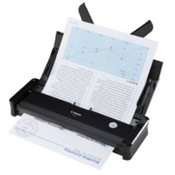 | Canon imageFormula P-150 | A new entry on the market: The P-150 scanner (also known as Scan-tini) was designed for professionals to improve their personal efficiency and individual productivity in offices and in transit. From the Small Office / Home Office (SOHO) user, to the occasional traveler, to the employee who frequently travels, the P-150 scanner offers advanced features to meet the document capture needs of stationary users and "road warriors." |
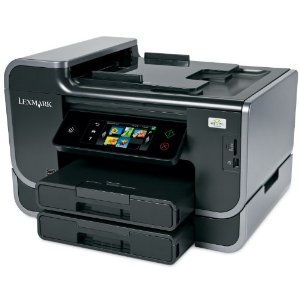 | Lexmark Platinum Pro905 Business Class Wireless Multifunction Inkjet Printer with Web-enabled Touchscreen | This looks pretty cool -- the 'Scan to Evernote' SmartSolution by Lexmark International makes it easy to scan an important document, convert it to digital format and post to your Evernote account with one simple click of a button...all without even turning on your computer. |
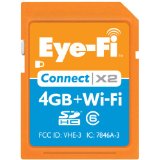 | Eye-Fi SDHC Wireless Flash Memory Cards | The Eye-Fi SD Card is one of my faves! With it, your camera can record the location where your photo was taken (works great with "Places" in iPhoto). And if that wasn't enough, with a WiFi connection it will automatically upload your photos as you take them to Evernote or a number of other online repositories! |


I would like to have an Applescript to update the attributes of the note that is currently open in the client.
I would too! 😉
Evernote’s AppleScript implementation currently doesn’t allow this…but maybe they’ll add it if enough people request it!
Here is a link to Evernote’s “Suggest a Feature” page. My observation is that they are pretty responsive, so let them know what you’re looking for!
Would love a script to import VoodooPad into Evernote.
I’ll look at VoodooPad’s AppleScript implementation and see if there is a logical way to do it. Do you have any idea of how you’d like a script to work and what you’d want it to do?
In the meantime, you can already use the “Export Page As…” function from VoodooPad to save the pages as HTML files and then just drag-and-drop them onto the Evernote icon!
How about the ability to simultaniously export all pages of a VoodooPad document into Evernote. Each page within the VoodooPad document would export to Evernote as individual notes. Not sure if this would even be possible though. I’ll try to export each individual page but I have VoodooPad lite, which doesn’t seem to allow exporting to HTML, only XML.
Hi Bryan,
I’ll look into it for the next round of scripts that I am working on…. but, if I’m not mistaken, there isn’t any AppleScript support in VoodooPad Lite (See this list on the Flying Meat website to see what I mean…)
I guess a VoodooPad Lite user could upgrade to one of the paid versions, or maybe export to a text file? Anyone already doing this?
I’d like an evernote script that can scroll the text with the ability to control the scrolling speed.
As a songwriter, I often write songs longer then one clearly visible page.
It would be amazing if there was a script auto-scroll, so I don’t have to stop playing the song to click to the next page.
Thanks!
My print PDF to evernote AppleScript in the print dialog as stopped working since Lion was installed. Cannot find an update. If you know of one, please let me know. This is a crucial function in my daily workflow.